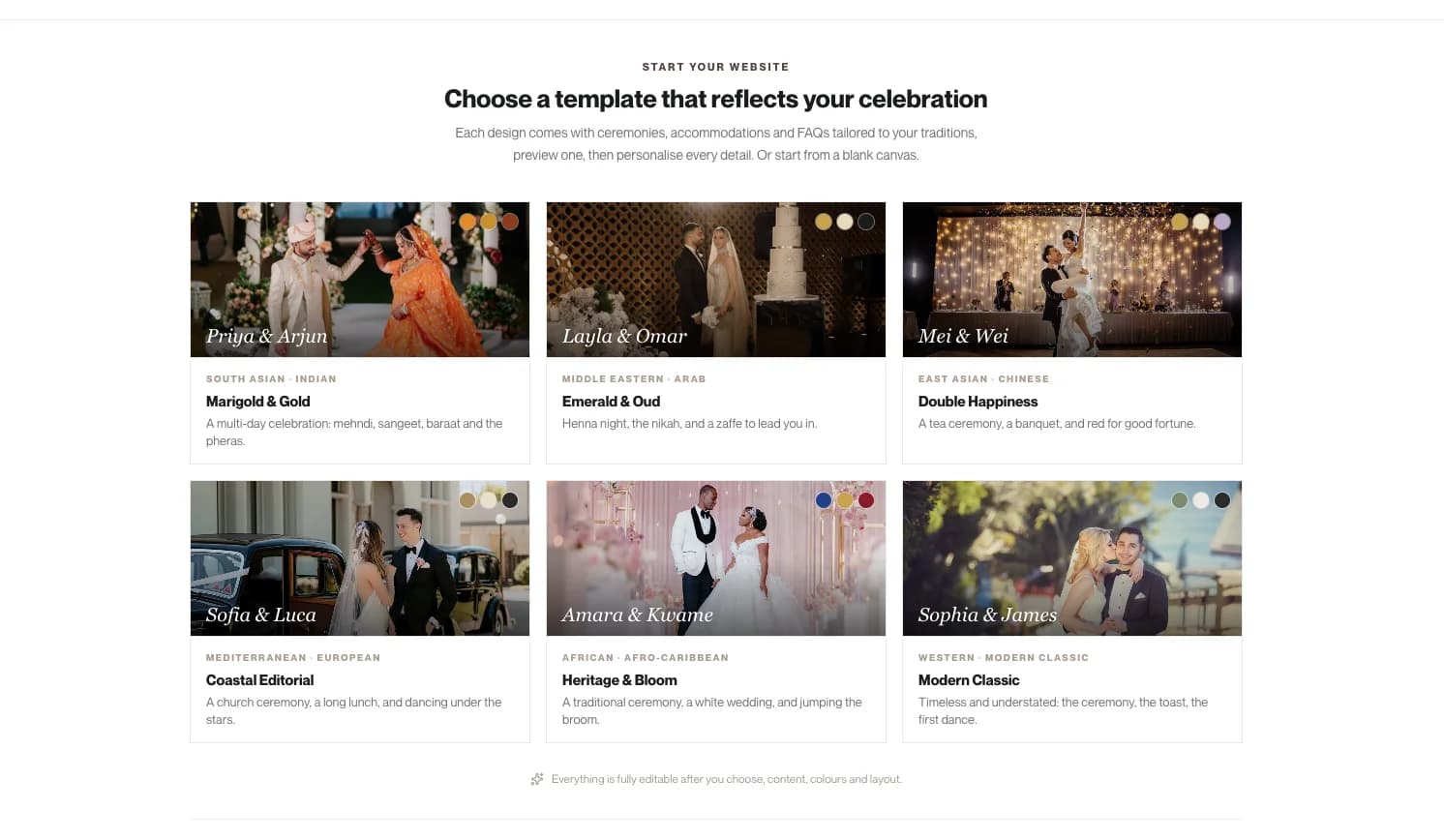
A wedding RSVP website lets guests reply to your invitation online. For a destination wedding, it gathers who is coming, which events they will attend, what they eat and when they land. This Wedded Wonderland guide compares the five kinds of RSVP website and what to check before you pay. It also covers the details that matter when guests cross oceans to be there.
At its simplest, an RSVP website replaces the reply card and the stamped envelope. A guest opens a link, finds their name, says yes or no, and the answer lands in a list you can see at any hour.
The reply card asked for a name, a yes or no and perhaps a meal choice. An online wedding RSVP asks the same things, then keeps going: a meal and dietary note for each person, the name of a plus-one, and the date and time each reply came in.
You see at a glance who has said yes, who has declined and who has yet to answer.
The real gain is that answers arrive sorted, ready to filter by event, household or meal and pass to the people who need them.
If you already have a wedding site, or only want replies, a standalone RSVP form can be all you need. For everything else that belongs on the site itself, see what to include on your wedding website.
There is no single right tool, only the right kind for your guest list. Each kind below is judged on what a destination weekend asks of it.
One site holds your story, travel notes, schedule and the reply form. It suits couples who want guests to find everything in one place. The trade-off is that the RSVP is one feature among many, so check how far its questions can be shaped around your events.
A tool built only to collect replies. It suits couples who already have a site, or who want a form that does one job well. You will need somewhere else for travel details and the schedule, and a link between the two.
The digital invitation and the reply travel together, so guests answer the moment they open it. It suits couples who are sending invitations online anyway. Check whether the RSVP can handle several events and travel questions, or whether it stops at yes, no and a meal.
Our guide to making a digital wedding invitation covers the invitation side.
Here the replies feed straight into the rest of your planning, such as the seating chart and the guest list. It suits couples who would rather not move data from one tool to another. Wonderland Studio, our planning app for seating charts and RSVPs, sits in this group. For a wider view, see our wedding planning apps compared.
A general online form feeding a shared spreadsheet. It suits couples who like full control and do not mind building it themselves. The cost is your time: every question, reminder and export is yours to set up.
Kind of RSVP website | Suits | What to check | Trade-off |
All-in-one wedding website | Couples who want one link for everything | Separate RSVPs per event, custom questions, password protection | RSVP is one feature among many |
Standalone RSVP or form tool | Couples with a site already, or replies only | Whether guests need to log in, reminder sends, data export | Travel details and schedule live elsewhere |
Invitation platform with RSVP | Couples sending invitations online | Several events, travel questions, export for suppliers | Can stop at yes, no and a meal |
Planning app with RSVP | Couples who want replies to feed the seating plan | How replies flow to the seating chart and guest list | Another app to learn |
DIY form plus spreadsheet | Couples who want full control | QR codes, privacy settings, effort to set up | Every question and reminder is on you |
Plans change, so run the same questions on any tool you are considering.
Guest and event limits. Does your full list fit under any cap?
Custom questions. Can you add your own, such as arrival dates or accommodation?
The tool's branding. Will guests see the tool's name or logo, and does removing it need a paid tier?
Custom domain. Can the site sit at a web address of your choosing, or only at the tool's own address?
Password protection. Can you lock the site so only invited guests can see it?
Reminder sends. Can you send reminders from the tool, and how many?
Data export. Can you download every answer in a format your caterer and venue can open?
Ads shown to guests. Will your guests see advertising on the page?
If the answers that matter sit behind a paid tier, upgrade early rather than rebuild halfway through.
A destination wedding can span a welcome dinner, the ceremony and reception, and a slow brunch the morning after, with guests arriving from different countries. Check for these features before you commit to a tool.
Look for a form where one reply covers every event, with a separate yes or no for each. A guest may be at the ceremony but land too late for the welcome dinner, and your numbers for each event should show it.

Ask where each guest is staying and their arrival and departure dates. Those answers shape your numbers for the welcome dinner and the days around it. Where a guest's travel plans should stay private, leave them off the form and gather them directly. If you work with a Wedded Advisor, they plan venue, travel, vendors and payments with you.
Set each invitation by household, so a couple or a family replies once for everyone named. Decide in advance whether guests may bring a plus-one and whether children are invited, and let the form reflect it.
Ask for meal choices and dietary needs for each person, not each household. Keep the question to what the caterer needs to cook safely, for example, "Any allergies or dietary needs we should share with the chef?"
When guests live in other countries, write your reply date with a date and a time zone, so nobody in another time zone misses it by a day. If some family read more comfortably in another language, check whether the form can show it, or add a short translated note.
The RSVP is the start of the seating plan, not the end of the job. Before you choose, check that the replies can flow into your seating chart without retyping, and that you can export a clean list for the caterer, with each guest's event, meal and dietary note. Allow in your planning for guests who decline; our piece on the share of guests who RSVP no is a useful read.

An RSVP form collects details that can identify a person. As general information as at November 2026, and not legal advice: the Office of the Australian Information Commissioner says personal information includes information or an opinion that could identify an individual, depending on whether that person can be identified or is reasonably identifiable in the circumstances. It gives a name, address, phone number and date of birth as examples.
The OAIC lists health information as sensitive information, which generally has a higher level of privacy protection than other personal information. On your form, ask only for the details your planning needs, and keep the list private.
The Privacy Act doesn't cover individuals acting in a personal capacity, though state or territory laws may still apply. Whatever the law asks, good manners ask more: password-protect the site, share the list only with the suppliers who need it, and delete what you no longer need after the wedding. If you are also gathering guests' photos, the same care applies.
A QR code on a printed invitation or details card lets guests reach your RSVP page with a phone camera. It is a handy shortcut, with one caution.
The Australian Cyber Security Centre notes that cybercriminals can use QR codes to hide harmful links. Because a QR code is an image rather than text, you can't check the link before scanning it. It advises going directly to official websites rather than following links in messages.
So print the RSVP web address beside the code, short and easy to type, for guests who would rather not scan. Create the code with a trusted, secure tool, as the ACSC suggests, then test-scan the printed proof, on more than one phone, before the full print run.

Every extra question is a reason to put the reply off. Keep the form to what your planning needs:
Name of each guest in the household, and whether each is attending
A yes or no for each event
Meal choice and dietary needs for each person
Plus-one name, where one is invited
Arrival and departure dates, and where they are staying
Any access or mobility needs we should plan for
A phone number or email for updates during the wedding week
A short note field for anything else
For the words around those questions, see our wedding RSVP wording examples. If you are also sending printed cards, here is what the M on an RSVP card means.
Settle the guest list by household, including who is invited to each event.
Choose the kind of tool. Use the table above, then run the list of tier questions on your shortlist.
Build the form with your events and the questions above.
Set privacy. Turn on password protection and decide who on your side, including family members or assistants helping you, can see the replies.
Test it as a guest. Reply as a couple with a child and as a guest who declines one event, and check each answer lands where you expect.
Add the link and QR code to your invitations. Print the web address beside the code and test-scan the proof.
Send, then check replies against your guest list as they arrive.
Choosing a reply date and following up with quiet guests is its own craft, and we cover it in full in our guide on how to manage wedding RSVPs from invitation to final numbers. For the timing question on its own, read when to set your RSVP date.
Wonderland Studio is our planning app for seating charts and RSVPs. It belongs to the fourth kind in the table above, for couples who would like their replies and their seating chart in the same place. Test it as a guest, as you would any other tool. You can see it at Wonderland Studio.

For more ideas on guest weekends, travel and planning, browse the Wedded Wonderland magazine.
Written by

Senior SEO Specialist, Wedded Wonderland
Mark Tuason is the Senior SEO Specialist at Wedded Wonderland, where he writes and refreshes the brand's guides to destination weddings and cultural wedding traditions. He starts with the questions couples search for, checks the answers against trusted sources, and shapes each guide to help them plan, compare and book with confidence. Based in the Philippines, he specialises in content strategy and on-page SEO.
Search real weddings, venues and vendors from around the world.
Search Wedded Wonderland